
A logistics client came to us holding a quote from another firm: eighteen months and a ground-up rebuild to make their dispatch app "AI-ready." We spent four days reading the codebase before quoting anything. The app was fine. Their data access layer was the problem, because every query that mattered was buried inside view controllers with no service boundary to call from anywhere else. That was six weeks of refactoring, not eighteen months of rebuilding.
The distance between those two numbers is where most AI budgets go to die. In 2025, MIT's Project NANDA reviewed more than 300 public AI initiatives and announcements and found that roughly 95% of enterprise generative AI pilots produced no measurable return on the profit-and-loss statement (MIT Project NANDA, The GenAI Divide: State of AI in Business 2025). That number gets quoted a lot, usually with more force than the report supports. It measures pilots showing no measurable impact on the P&L, which is a narrower claim than 95% of AI work failing outright, and the study leans on interviews with 52 organizations rather than a census. The distinction is worth holding onto, because what the report actually describes is almost never a model failure.
This guide covers what it actually takes to add AI to an existing app. Four integration patterns that work on a live codebase, what the feature costs to run at 2026 token prices, what it costs to build, and the mobile-specific track. Then the part that decides everything: the control plane that separates a feature that ships from a demo that stalls.
Key Takeaways
- MIT's Project NANDA found that roughly 95% of generative AI pilots produce no measurable P&L return (MIT Project NANDA, 2025), and RAND cites estimates putting AI project failure above 80%. Both describe integration outcomes, not model quality.
- A backend gateway is the correct default for production. Vendor SDKs called directly from the client are prototype tooling, not a shipping architecture.
- Output token prices in July 2026 span from $0.40 to $25 per million across live models. Model choice, not usage volume, usually decides the bill.
- The model call is roughly an eighth of the engineering. Data access, evaluation, and fallback behavior are the rest.
Why Most AI Integrations Fail Before Anyone Writes Model Code
Estimates of AI project failure run above 80%, roughly twice the rate of IT projects that do not involve AI, a figure RAND cites when framing its 2024 study of why these projects go wrong (RAND Corporation, The Root Causes of Failure for Artificial Intelligence Projects, 2024). To find the causes, RAND's researchers interviewed 65 data scientists and engineers with at least five years of production experience. None of the five root causes they identified had anything to do with model quality. Data readiness, deployment infrastructure, and leadership picking problems the technology cannot solve accounted for the failures.
That finding matches what we see on integration engagements. Teams arrive with a clear picture of the model they want and no picture at all of the four places that model has to touch their existing system. The prototype works in a weekend because it only has to satisfy one of those four seams. Production needs all four.
Adding AI to an existing app is not a machine learning project. It is an integration project with a machine learning dependency. The engineering that decides whether it ships is the same engineering you already know how to do: access control, error handling, observability, and release management.
Developers already sense this. Stack Overflow's 2025 survey found 84% of respondents using or planning to use AI tools, up from 76% a year earlier, and yet more of them actively distrust the accuracy of what those tools produce (46%) than trust it (33%) (Stack Overflow, 2025 Developer Survey). High adoption, low trust. A feature built on a component your own team does not fully trust needs more scaffolding around it than a conventional feature, not less.
What "Adding AI" Actually Means at the Code Level
Strip away the vocabulary and an AI feature touches your existing application at exactly four seams. Naming them early is the single highest-value hour in the whole project, because each one maps to a component you already own and can estimate against.
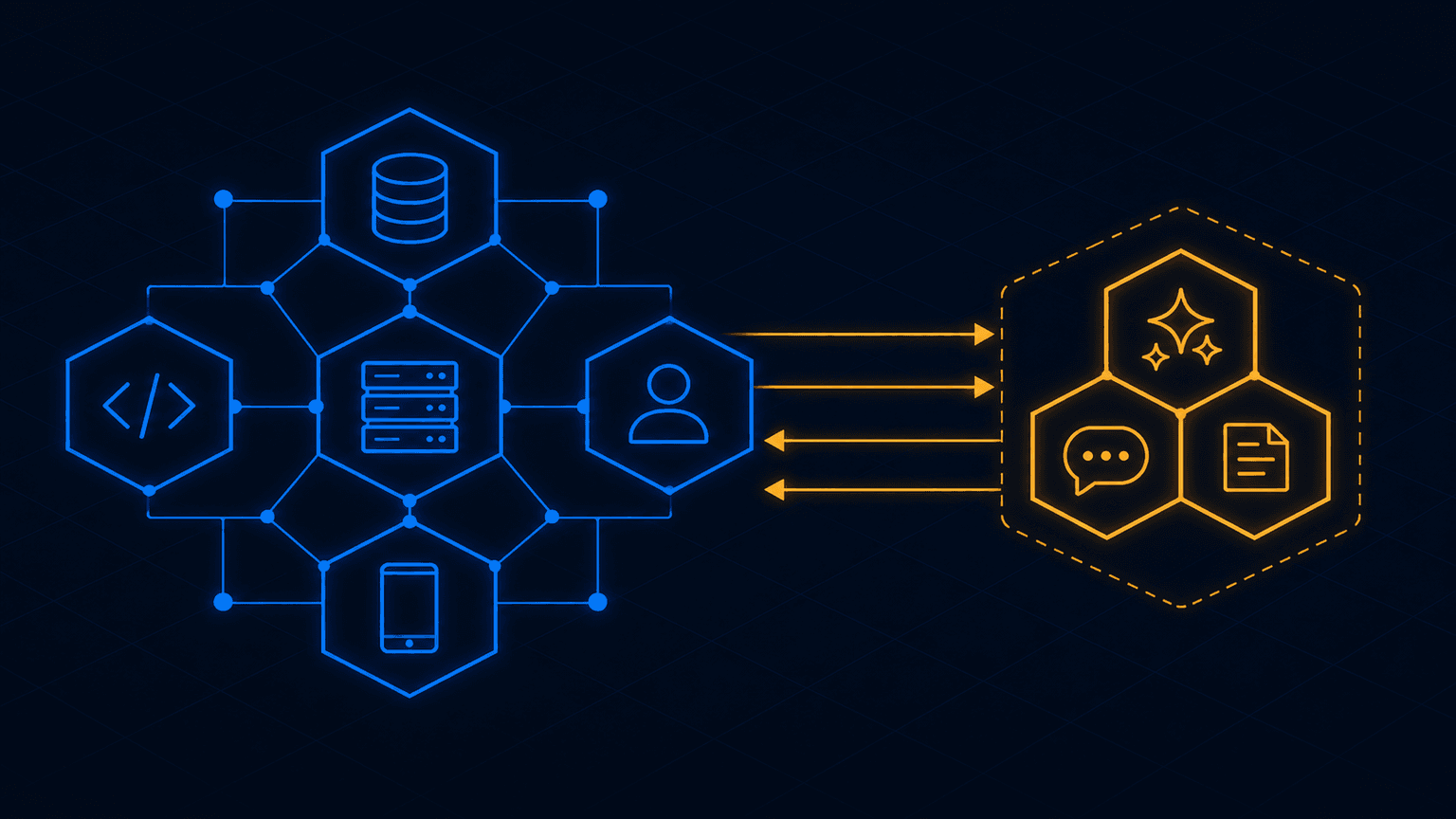
The read path is how the model gets context. It reads your database, your document store, your event log, or all three. The write path is what the model is allowed to change: a draft it saves, a ticket it routes, an API it calls on a user's behalf. The authorization seam is where the AI layer inherits your existing permission model. The interface surface is where the output appears and what the user does when it is wrong.
Where an AI layer attaches to an existing app
The authorization seam is the one that gets skipped, and it is the one that hurts. Every guide on this topic tells you to build the AI layer as a separate service. Almost none of them mention that a separate service with its own database credentials is a permission bypass wearing a new hat. If your app enforces row-level access in application code and your retrieval index does not, the first user who asks a broad enough question will read something they should not.
// Bypasses every access rule the app spent three years getting rightconst context = await vectorStore.search(query, { topK: 8 });// Right: retrieval inherits the caller's existing scopeconst scope = await authz.scopeFor(user, 'documents:read');const scopedContext = await vectorStore.search(query, {topK: 8,filter: { tenantId: scope.tenantId, docId: { $in: scope.allowedDocIds } },});
Enforce the filter at retrieval time, not in the prompt. A system prompt instructing the model to ignore documents the user cannot see is a suggestion, not a boundary. The same principle governs agent guardrails in production SaaS systems, and it holds identically here: if a capability exists in code, assume the model will eventually reach it.
Four Integration Patterns That Work on an Existing Codebase
Four architectures cover essentially every way AI gets added to a running app. The choice determines your latency profile, your monthly bill, your security surface, and how the feature behaves when connectivity drops.
| Pattern | Where inference runs | Best for | Main risk |
|---|---|---|---|
| Backend gateway | Your server calls the provider API | Any feature shipping to external users | Adds a hop; needs its own scaling story |
| Direct vendor SDK | Client calls the provider directly | Internal tools and throwaway prototypes | Credentials live in a binary you do not control |
| On-device | The user's phone or browser | Offline use, regulated data, sub-second tasks | Hardware fragmentation and model size limits |
| Hybrid router | Local classifier decides local or cloud | Cost-sensitive apps with mixed task complexity | Two inference paths to maintain and test |
Pick the pattern your data sensitivity and offline requirements demand, not the one that demos fastest
The backend gateway is the default we ship. Your client sends a structured request to your existing API. That service validates input, applies your system instructions, fetches scoped context, calls the provider, and returns the result. The provider credential never leaves your infrastructure, you can rate limit before a runaway client empties the budget, and you can change models or prompts without shipping a client release. For anything resembling a customer-facing chatbot, that last property alone justifies the pattern.
Direct vendor SDKs have improved enough to stand up a working feature in days. They are still the wrong answer for anything with external users, because the authentication story ends with credentials sitting in a client binary, plus an attestation service, which proves the caller really is your app, that you now have to operate. Use them to prove the idea, then move the call server-side before anyone outside the company sees it.
On-device inference earns its complexity when data cannot leave the phone or the feature has to work without a network. Classification, extraction, transcription, summarization, and short-form generation all run comfortably on current hardware. Multi-step reasoning over long context does not. The hybrid router sits between the two: a small local classifier scores each request and sends the trivial ones to the device and the hard ones to your gateway. It cuts token spend meaningfully, and it costs you a second code path that needs its own tests.
Which Pattern Fits the App You Already Have?
Start from constraints rather than capability. If the data falls under HIPAA, PCI, or a customer contract that names data residency, on-device or a private endpoint is the starting point and cloud calls have to be argued for individually. Warehouse, aviation, and field apps invert that. The hybrid router becomes the foundation, and offline behavior is a launch requirement, not a later phase. Everything else starts at the backend gateway.
The harder question is when the "no rebuild" promise stops being true. Three conditions genuinely block an incremental integration, and every article promising a painless bolt-on skips all three.
The first is no service boundary around your data, the exact problem our logistics client had. If the queries the model needs are entangled with presentation code, something has to be extracted before anything can call it.
The second is no observability. If you cannot currently answer what your p99 latency is or which endpoint is slow, you will not be able to tell whether the AI feature degraded the app. You will find out from reviews instead.
The third is no release control. Shipping a probabilistic feature with no flag, no percentage rollout, and no kill switch means your only rollback is an app store review cycle.
Missing service boundaries, missing observability, and missing feature flags are prerequisites, not nice-to-haves. Each is typically one to three weeks on an established codebase, and they can run in parallel.
What Does It Cost to Run AI in an Existing App?
For most integrations, the generative model you pick matters more to the monthly bill than how many users you have. Published output pricing across current production models spans nearly two orders of magnitude as of July 2026, and most integration guides still quote models that have since been retired.
View exact figures
| Category | USD per 1M output tokens |
|---|---|
| Gemini 2.5 Flash-Lite | 0.4 |
| GPT-5-nano | 0.4 |
| Gemini 3.5 Flash-Lite | 2.5 |
| GPT-5.4-mini | 4.5 |
| Claude Haiku 4.5 | 5 |
| Claude Sonnet 5 | 10 |
| GPT-5.4 | 15 |
| Claude Opus 5 | 25 |
Three pricing mechanics do more for a monthly bill than any prompt optimization, and all three are configuration rather than rewrites.
Prompt caching is the largest single lever. Anthropic charges 1.25x the base input rate to write a five-minute cache entry and 0.1x to read it back, so the cache pays for itself on the first hit (Anthropic, Claude Platform Pricing). OpenAI applies a comparable discount on cached input across the GPT-5 family (OpenAI, API Pricing). Any feature with a stable system prompt, a fixed schema, or a repeated document prefix qualifies immediately. The engineering is ordering your prompt so the static content comes first.
Batch processing takes 50% off both directions on Anthropic and Google for work that does not need an immediate answer (Google, Gemini API Pricing). Nightly summarization, backfills, and enrichment jobs belong here, and teams routinely pay real-time rates for them out of habit.
Model routing is the third. The Berkeley LMSYS RouteLLM work, published at ICLR 2025, trained routers on public preference data and reported cost reductions above 85% on MT Bench while retaining roughly 95% of GPT-4 quality (LMSYS Org, RouteLLM). Enterprises have followed: a16z's January 2026 survey of 100 Global 2000 executives found 81% now run three or more model families in testing or production, up from 68% under a year earlier (Andreessen Horowitz, Enterprise AI Arms Race). Single-model architectures are becoming the exception.
One timing note worth acting on: Claude Sonnet 5 is on introductory pricing through 31 August 2026, after which its rates rise. If you are budgeting for a feature launching after August 2026, use the post-introductory rates.
Not Sure Which Pattern Your App Needs?
Send us your architecture and the feature you have in mind. We will tell you which integration pattern fits and what has to change first, before anyone writes code.
What an Integration Costs to Build
Clutch reports an average AI development project cost of about $120,595 across reviewed engagements with a typical ten-month timeline, while the most common project band sits between $10,000 and $49,999 (Clutch, AI Development Pricing Guide, July 2026). That spread is wide because it mixes model training work with feature integration. Adding AI to software that already exists clusters below that average, except at the agent end.
The four tiers below reflect market ranges for integrating AI into a running application, not training a model from scratch and not Avenotech's own project rates. Clutch puts North American and Western European AI rates at $50 to $99 per hour and above, with Asia-Pacific teams in the $25 to $49 band.
| Integration tier | What it includes | Timeline | Market range |
|---|---|---|---|
| Assisted feature | Gateway service, one provider, streaming UI, prompt versioning, rate limits | 3 to 5 weeks | $14,000 to $26,000 |
| On-device inference | Core ML or ML Kit integration, quantized model, device gating, offline fallback | 6 to 9 weeks | $28,000 to $52,000 |
| Grounded retrieval | Embedding pipeline, permission-scoped index, evaluation harness, citation UI | 8 to 12 weeks | $55,000 to $105,000 |
| Acting agent | Tool definitions, approval gates, audit trail, rollback, system-level intents | 10 to 16 weeks | $70,000 to $150,000 |
Ranges reflect current market pricing for integration into an existing codebase at senior engineering rates
Two things drive movement inside those bands more than anything else. The first is how clean the data access story is on day one, which is why the audit comes before the estimate on every engagement. The second is whether the feature writes anything. A feature that suggests is a different risk class from a feature that acts, and the approval gates, audit trail, and rollback path that an acting agent requires are most of the difference between the top and bottom tiers. If you are scoping the surrounding application rather than just the AI layer, our breakdown of app development costs covers the rest of the build.
Where the hours actually go surprises most teams. Across the integrations we have delivered, the provider call and prompt work accounts for barely an eighth of the hours.
View exact figures
| Category | Value |
|---|---|
| Data access and permissions | 25% |
| Evaluation and regression testing | 20% |
| Fallback, error, and latency UX | 20% |
| Observability and cost controls | 15% |
| The model call and prompts | 12% |
| Compliance and rollout | 8% |
The Mobile Track: iOS, Android, and Cross-Platform
Mobile integration carries constraints that server-side work does not, and 2026 changed the tooling on both platforms. If you are adding AI to a production mobile app, plan for separate implementation tracks rather than a shared abstraction that satisfies neither platform.
iOS: Foundation Models and App Intents
On iOS, Apple announced at WWDC 2026 that it would open-source the Foundation Models framework and open it to third-party model adapters. Starting with iOS 27, providers implement a public LanguageModel protocol, which means cloud models are reachable through the same API you already use for the on-device one (Google Firebase, Gemini in Apple's Foundation Models Framework, June 2026). The framework does not route for you. Your code decides per call whether a request runs locally or goes out, which is the hybrid router pattern with most of the plumbing already written.
The underused piece on iOS remains App Intents. Declaring your app's core actions as structured intents lets the system invoke them directly, without your interface being open. A user asking for a refill status by voice and landing on the right screen is a different interaction model from a chat box, and no cloud API replicates it.
Android: Gemini Nano through ML Kit
On Android, ML Kit's GenAI APIs cover summarization, proofreading, rewriting, image description, speech recognition, and a general prompt API, all running on Gemini Nano through the AICore system service (Google, ML Kit GenAI APIs). Because the model ships with the system on supported devices, you get on-device inference without adding weights to your APK. The catch is device support: the feature-specific APIs run on recent Pixel, Galaxy, OnePlus, OPPO, Xiaomi, and vivo flagships, and the prompt API is narrower still. Define a minimum device tier and degrade gracefully below it. Testing on the newest phone in the office is not a device strategy.
Cross-platform: the bridge is the bottleneck
Cross-platform apps have one recurring failure, and it is the bridge. Passing camera frames or audio buffers across an asynchronous JavaScript bridge produces visible stutter. React Native teams should use JSI-based native modules for local inference and streamed fetch for cloud responses. Flutter teams get a cleaner path through Dart FFI, calling inference directly without crossing a platform channel.
An unquantized 3B parameter model needs roughly 6GB of RAM at 16-bit precision and will be terminated on mid-range hardware the moment it loads. Ship INT4 quantized weights, cap on-device models at roughly 1B to 1.5B parameters for mainstream devices, and release model memory explicitly when the user leaves the feature.
Store and Compliance Gates You Cannot Retrofit
Apple added a requirement in 2025 that catches teams at submission rather than at design, and it applies to any app sending user data to a model provider. Guideline 5.1.2(i) states that you must clearly disclose where personal data will be shared with third parties, "including with third-party AI," and obtain explicit permission before doing so (Apple, App Review Guidelines).
Read that as a product requirement, not a legal footnote. It means a consent surface naming the provider and the data categories, shown before the first request leaves the device, plus a state where the user declines and your app still works. Bolting that on after the feature is built usually means redesigning the entry point.
Guideline 1.2 is the second gate. Model output shown to users falls under the user-generated content rules, which require filtering objectionable material, a mechanism to report offensive content with timely responses, the ability to block abusive users, and published contact information. In practice that means a moderation pass on your gateway and a report control in the interface, both of which are easier to build alongside the feature than after a rejection.
Name every model provider you send data to, in the consent flow and the privacy nutrition label. Route model output through moderation on the server, not the client. Ship a report control on every surface that renders generated text. All three cost less as requirements than as fixes.
Google Play's Generative AI Apps policy sets out its own disclosure and user-reporting requirements (Google Play, Generative AI Apps Policy). Read the current policy text for both platforms during design, because the version your team remembers from a previous launch has very likely changed.
The Control Plane That Separates a Shipped Feature From a Stalled Demo
The control plane is everything wrapped around the model call that governs how the feature behaves: what gets tested before release, what the user sees while waiting, what happens when the provider returns an error, and who can see the bill. MIT's finding that so few pilots reach measurable value is easier to understand once you have watched a demo become a production feature. A demo needs the model to be right most of the time. A production feature needs a defined behavior for every time it is wrong, and that behavior is what teams have not built.
The evaluation harness. Assemble 100 to 200 real inputs from your own users with the output you would accept, and run that set on every prompt change, model version, and retrieval tweak. Without it, "we upgraded the model" is a change nobody can evaluate, and the first regression surfaces in support tickets. In our experience this is the single piece teams skip most often, and the one that pays back fastest.
Streamed output. A feature that shows nothing for four seconds reads as broken regardless of the eventual answer quality. Server-sent events with token-by-token rendering do not reduce the actual latency. They remove the interval where the user cannot tell whether anything is happening, and that interval is what drives abandonment.
A defined failure state. Providers have outages, rate limits, and slow tails. Set a timeout, fall back to a smaller or alternate model, and below that fall back to the app's pre-AI behavior. The feature degrading to a plain search box is a fine outcome. A spinner that never resolves is not.
Cost attribution from the first commit. Instrument tokens per request, per user, and per feature. Cost attribution added later is archaeology. Your existing monitoring and infrastructure can carry these metrics, and a per-user ceiling with an alert prevents a single malfunctioning client from consuming a month of budget in an afternoon.
Add AI to Your App Without Betting the App
We audit the codebase first, name what has to change, and ship the integration behind flags with an evaluation harness from day one. Full IP transfer, weekly demos, no black-box quotes.
Get an Integration PlanA 90-Day Rollout That Does Not Risk What You Already Have
Sequencing matters more than speed here, because the goal is a feature that survives contact with real traffic rather than a demo that arrives early. The plan below is what that sequencing looks like in practice, adjusted for scope.
A 90-day integration rollout, and what has to be true to leave each phase
Weeks 1 to 3
Prepare the seams
Audit data access, add the observability you are missing, put feature flags in place. Nothing AI-specific happens yet.
Every query the model needs is callable from a service boundary
Weeks 4 to 8
Build behind a flag
Gateway, permission-scoped retrieval, an evaluation set built from real user inputs, streaming with a fallback chain. Internal staff use it daily.
Every prompt change runs against the evaluation set before merge
Weeks 9 to 12
Ramp on a percentage
Start at 5% of users. Watch token spend per user and rejection rates, and expand only while the numbers hold.
Kill switch stays until the feature is stable for a full release cycle
Two details decide whether that plan holds. Skipping the first three weeks is what turns a three-month project into a year-long one, because everything you deferred resurfaces once real traffic is on the feature. And during the ramp, watch p99 latency on the screens surrounding the AI feature rather than on the AI endpoint alone: the most common early regression is the new call slowing down something adjacent to it.
Duolingo is a useful reference for expectations. Their AI tier reached roughly 9% of a paid base of 12.2 million subscribers by the end of 2025, and full-year revenue crossed $1 billion for the first time, though the tier compressed margins in its early quarters (Business of Apps, Duolingo Statistics, 2026). Meaningful adoption of an AI tier looks like single-digit percentages of an existing base and a period where it costs more than it returns. Budget for that shape rather than a step change. If you need people to build it, dedicated AI engineers embedded in your existing squad ship faster than a separate AI team working alongside it.
Frequently Asked Questions
Can you add AI to an existing app without rebuilding it?
In most cases yes. The AI layer runs as a separate service your app calls through its existing API. A rebuild is only forced when data access has no service boundary, monitoring does not exist, or there is no feature flag system, and each of those is typically two to four weeks to fix.
How long does it take to add an AI feature to an existing app?
A first cloud-backed feature behind a gateway takes three to five weeks of engineering once prerequisites are in place. Grounded retrieval over your own data runs eight to twelve weeks. Add two to three weeks upfront if the codebase has no clean service boundary around the data the model needs.
How much does it cost to add AI to an existing app?
Market ranges run from roughly $14,000 for a single assisted feature to $150,000 for an agent that acts on a user's behalf. Clutch reports an average AI project cost of about $120,595 across all AI work in July 2026, though that figure includes model training, which integration projects do not require.
Should the AI run on the device or in the cloud?
Cloud by default, through your own backend gateway. Choose on-device when data cannot leave the phone for regulatory reasons, when the feature must work offline, or when you need sub-second response. On-device models handle classification, extraction, and summarization well, but not multi-step reasoning over long context.
What breaks first when you add AI to a production app?
Permissions and latency. Retrieval indexes that do not inherit the app's access rules surface data users should not see, and an unstreamed response makes the whole screen feel broken. RAND's 2024 study cites estimates that more than 80% of AI projects fail, roughly twice the rate of non-AI IT projects, and traces the causes to integration rather than model quality.
Where to Start This Week
The teams that add AI to an existing app well treat it as a feature extension with unusual failure modes, not as a platform migration. Three moves matter more than the rest.
Audit the seams before scoping anything. Write down how the model will read your data, what it is allowed to write, whose permissions it inherits, and what the user sees when it is wrong. If any of those four answers is unclear, that gap is your first sprint, and closing it now costs a fraction of closing it in month four.
Then pick one feature with a measurable outcome: semantic search over data your users already have, summarization of content they read anyway, or classification of work they currently triage by hand. None of those require the model to act on anyone's behalf, which keeps your first release in the lowest risk class.
The third move is the one teams skip: build the evaluation set before the prompt. A hundred real inputs with acceptable outputs, versioned in the repository, turns every later model decision into something you can measure instead of argue about. It is the least glamorous artifact in the project and the one that decides whether the feature is still running a year from now.
If you want a second opinion on which pattern fits your architecture, or an honest read on whether your codebase is ready, we are glad to look at it.